Compare with 1 courses
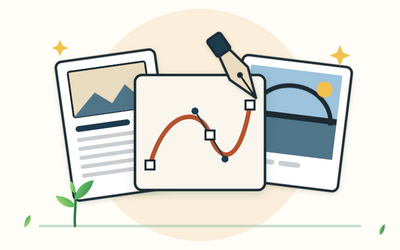
Affinity for Beginners: Free Vector, Photo and Layout Design

Affinity for Beginners: Free Vector, Photo and Layout Design

Learn the free Affinity app from Canva: shapes and the pen tool, colour and type, a logo, photo editing, page layout and exports for screen and print. 55 written lessons plus 10 practice downloads.

£34.99

Learn more
Has discount
Expiry period Lifetime
Made in English
Last updated at Tue Oct 2026
Level
Beginner
Total lectures 65
Total quizzes 0
Total duration 11:28:00 Hours
Total enrolment 0
Number of reviews 0
Avg rating
Short description Learn the free Affinity app from Canva: shapes and the pen tool, colour and type, a logo, photo editing, page layout and exports for screen and print. 55 written lessons plus 10 practice downloads.
Outcomes
  • Install Affinity safely, find your way round its Vector, Pixel and Layout studios, and keep your files in a tidy, backed-up folder
  • Draw precise vector shapes, combine them with boolean operations and build an icon to an exact spec
  • Draw and edit clean paths with the pen tool and the node tool, and trace a hand sketch into a vector symbol
  • Set up brand colours as global colours, check text contrast and understand RGB and CMYK in plain terms
  • Set type with confidence, put text on a path and convert text to curves while keeping a live copy
  • Build a simple logo with a wordmark, a lockup and four versions, and check it at every size
  • Edit photos without harming the original, using adjustment layers, masks, selections and careful retouching
  • Lay out a multi-page booklet with master pages, linked text frames, picture frames and text styles
  • Export the right files for screens and print, including a print PDF with bleed and the PDF type your printer asks for
  • Put it all together in a brand pack of your own: a logo set, an edited photo, a social graphic and an A5 flyer
Requirements
  • A desktop or laptop computer that can run Affinity (it isn’t available for phones, and the course is written for the computer app)
  • A free Canva account, which you need to download Affinity and sign in; no paid plan is needed for anything in the course
  • An internet connection for the download and first sign-in
  • No design experience, just some confidence using a computer; a mouse helps for drawing
  • A PDF reader and a plain text editor for the practice files

Learn something new every week

One short, practical tip each Thursday, plus news when new courses open. Free, and you can unsubscribe in one click.

We'll never share your email. See our privacy policy.