Compare with 1 courses
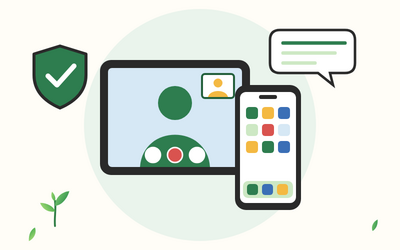
Smartphones and Tablets for Beginners: iPhone, iPad and Android

Smartphones and Tablets for Beginners: iPhone, iPad and Android

Learn to use an iPhone, iPad or Android phone or tablet step by step: settings, apps, calls and messages, video calls, photos, maps and avoiding scams. 50 written lessons plus 10 practice downloads.

£29.99

Learn more
Has discount
Expiry period Lifetime
Made in English
Last updated at Sun Nov 2026
Level
Beginner
Total lectures 60
Total quizzes 10
Total duration 10:28:00 Hours
Total enrolment 0
Number of reviews 0
Avg rating
Short description Learn to use an iPhone, iPad or Android phone or tablet step by step: settings, apps, calls and messages, video calls, photos, maps and avoiding scams. 50 written lessons plus 10 practice downloads.
Outcomes
  • Switch your phone or tablet on and off, charge it, unlock it and use every touchscreen gesture with confidence
  • Set up your device with your own account and make the text, sounds and keyboard comfortable for you
  • Install apps safely from the App Store or Google Play, arrange and update them, and choose notifications and permissions
  • Manage contacts, make and take calls, and send texts, WhatsApp messages and emails
  • Make and answer FaceTime and WhatsApp video calls, join a call from a link and fix common problems
  • Take, find, share and back up photos, take screenshots, scan documents and use QR codes with care
  • Use the web browser, maps, calendar, alarms, reminders, a voice assistant and official apps for everyday tasks
  • Lock your device, keep it updated, spot scam texts and calls, and know what to do if your device is lost or you’re scammed
  • Use accessibility settings for sight and hearing, get help safely and look after your device
  • Set up a calmer phone, keep a backup, move to a new device and complete a checklist of 25 everyday tasks
Requirements
  • No experience needed: every new word is explained in plain English the first time it appears
  • An iPhone, an iPad, or an Android phone or tablet; every lesson covers both kinds side by side
  • Wi-Fi at home or mobile data, and the email address or account you use on your device if you have one
  • A tablet without a SIM is fine; you can skip the few phone-only steps
  • This course teaches everyday skills; it doesn’t recommend any make of device, network, app or company

Learn something new every week

One short, practical tip each Thursday, plus news when new courses open. Free, and you can unsubscribe in one click.

We'll never share your email. See our privacy policy.