Course description

If you're a sole trader or landlord, the way you report your income to HMRC is changing. Making Tax Digital for Income Tax means keeping digital records, sending a short update every three months and submitting your tax return through compatible software. This course walks you through all of it, calmly and step by step, with no bookkeeping or tax background needed.

It's a full course, not a quick tour. There are 10 sections and 50 written lessons. You follow a self-employed plasterer who also lets a flat, from the HMRC letter through his first six months: choosing software, setting up his records, sending his first two quarterly updates and fixing a mistake along the way. Every section has a worksheet, answers, a cheat sheet and ready-made checklists and workbooks.


What you'll learn

  • Whether you're in, and when: qualifying income, the £50,000, £30,000 and £20,000 thresholds, joint property and exemptions.
  • Software and signing up: finding compatible software, spreadsheets and bridging software, digital links, signing up and getting help.
  • Digital records for your business: categories, receipts, bank feeds and a 20-minute weekly routine.
  • Records for landlords: property categories, mortgage interest and finance costs, joint lets and a monthly routine.
  • Tricky records: mixed business and personal costs, vehicles and mileage, equipment, cash and refunds, and more than one business.
  • Quarterly updates: periods and deadlines, a pre-send check, sending the update and reading your tax estimate.
  • Mistakes and penalties: correcting records, penalty points, paying tax on time and setting money aside.
  • Year end: your final checks, other income, and submitting your tax return through your software.
  • Staying organised and safe: a full year calendar, working with a helper, scams, data protection and what to do when things change.


Who it's for

Sole traders and landlords starting Making Tax Digital in April 2026, April 2027 or April 2028, and the partners, relatives and bookkeepers who help them. It ends with a final project: your own setup plan, a practice quarter worked through to category totals and a calendar for your first MTD year.

This is general information based on GOV.UK guidance, not tax advice. For your own situation, check GOV.UK or ask an accountant or tax adviser.

What will I learn?

  • Work out whether you need to use Making Tax Digital for Income Tax and from when
  • Understand exemptions and how digital exclusion works
  • Choose compatible software, sign up and set it up for every income source
  • Keep digital records for self-employment with a simple weekly routine
  • Keep the right records for a UK property business, including finance costs and joint lets
  • Send accurate quarterly updates on time using a pre-send check
  • Correct mistakes, understand penalty points and set money aside for tax
  • Finish the tax year and submit your tax return through your software

Requirements

  • No bookkeeping or tax experience needed
  • You're a sole trader or landlord (or you help one) in the UK
  • A computer, tablet or phone with internet access
  • Any spreadsheet program for the practice workbooks (optional)

Frequently asked questions

Sole traders and landlords who must use Making Tax Digital for Income Tax from April 2026, April 2027 or April 2028, and partners, relatives or bookkeepers who help them.

No. It shows you how to use GOV.UK's tool to find compatible software and what to look for, so it works whichever product you choose.

No. Making Tax Digital changes how you keep records and report to HMRC, not how much tax you owe or when you pay it.

That course walks you through the yearly tax return. This one goes deep on the new rules: digital records, quarterly updates, landlords' records and finishing the year through MTD software.

No. It's general information based on GOV.UK guidance. For your own situation, check GOV.UK or ask an accountant or tax adviser. LITRG and TaxAid help people on low incomes.
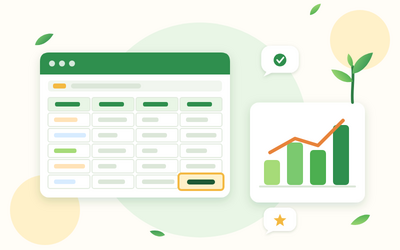
Yes. Every section has a worksheet, answers, a cheat sheet and tools, including an 'am I in?' calculator, records workbooks for self-employment and property, an update totals workbook, a penalty points tracker and a full year calendar.

You get lifetime access, including any lessons we add later.

Yes. You can ask for a refund within 14 days of buying if you've completed less than 30% of the course. Email support@rootlet.co.uk.
Making Tax Digital for Income Tax for Sole Traders and Landlords

£34.99

Lectures

60

Quizzes

10

Skill level

Beginner

Expiry period

Lifetime

Certificate

Yes

✓ 14-day money-back guarantee if you have completed less than 30% of the course. Refund policy

✓ Secure card payment by Stripe

✓ Questions before you buy? support@rootlet.co.uk

Sold by Rootlet Academy Ltd, a UK company (no. 17529179).

Share this course

Related courses

Learn something new every week

One short, practical tip each Thursday, plus news when new courses open. Free, and you can unsubscribe in one click.

We'll never share your email. See our privacy policy.