Course description

DaVinci Resolve is professional editing software, and its free version is enough to make polished videos for a business, a channel, a club or your family. It can also feel overwhelming the first time you open it, with its many pages and panels. This course takes you through it one step at a time, from installing it and setting up your first project to exporting a finished film with clear sound, readable titles, natural colour and captions.

It's a full course, not a quick tour. There are 10 sections and 54 written lessons with numbered steps and the exact on-screen labels, so you can follow along in DaVinci Resolve at your own pace. You follow the owner of a small, fictional sea kayak tour business in Oban as she teaches herself to edit a promotional film, vertical clips for social media and a short film about her season, including the mistakes she made along the way. Every section has a worksheet, model answers, a cheat sheet and practical tools, and the first practice pack includes practice clips and sound files made for the course.


What you'll learn

  • Getting started: what the free version can and can't do, installing it, project settings and a tour of every page.
  • Organising media: folders, importing, bins, smooth playback with proxies, backups and relinking offline clips.
  • Editing: the Edit page, marking and adding clips, cutting, trimming, B-roll, J and L cuts, and building a rough and fine cut.
  • Sound: levels and meters, licensed music under speech, syncing separate sound and the Fairlight page.
  • Titles and effects: titles and lower thirds, transitions, keyframed moves, slow motion and stabilisation.
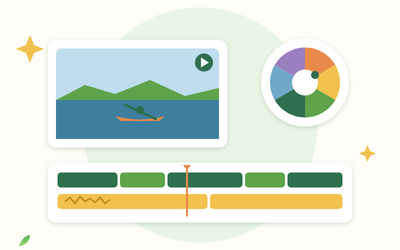
  • Colour: reading the scopes, balancing and matching shots, then nodes, the qualifier, windows and a consistent look.
  • Delivery: captions, vertical versions, the Deliver page, checking exports, sharing online and archiving.


The final project

You'll plan, edit and deliver a short film of your own, from a shot list and paper edit to the finished export, using a planning workbook and a final review checklist. If you don't have footage yet, you can use the practice clips.


Who this course is for

  • Beginners who want to learn DaVinci Resolve properly, without paying for software.
  • Small business owners, charities and clubs making their own promotional and social media videos.
  • Hobby filmmakers and people starting a video channel who want to move up from simple phone editors.


How the course works

Read each lesson with DaVinci Resolve open, then try the steps on your own clips or the practice clips. Everything works in the free version, and the lessons point out the few tools that need the paid Studio version. You'll need a computer that meets DaVinci Resolve's current system requirements; lesson 1.3 shows you how to check. You keep lifetime access, so you can come back whenever you start a new video.

What will I learn?

  • Install the free version of DaVinci Resolve and set up projects with the right resolution and frame rate
  • Organise footage in folders and bins, keep playback smooth and back up your projects
  • Edit on the Edit page: mark and add clips, cut, trim, use B-roll and build a rough and fine cut
  • Mix clear sound: set levels, add licensed music under speech, sync separate sound and use the Fairlight page
  • Add readable titles, simple transitions, smooth slow motion and stabilised shots
  • Correct and match colour with the scopes, then grade a consistent look with nodes, windows and the qualifier
  • Add captions, make vertical versions and export the right file from the Deliver page
  • Plan, edit and deliver a short film of your own from start to finish

Requirements

  • No editing experience needed
  • A Windows, Mac or Linux computer that meets DaVinci Resolve's current system requirements (lesson 1.3 explains how to check)
  • The free version of DaVinci Resolve (the course shows you how to download it); headphones help
  • Your own video clips from a phone or camera, or the practice clips included with the course

Frequently asked questions

It's for beginners who want to edit with DaVinci Resolve: hobby filmmakers, people starting a video channel, small businesses, charities and clubs. You don't need any editing experience.

No. Every lesson works in the free version of DaVinci Resolve. Lessons point out the few tools that need the paid Studio version, so you can decide later whether you want it.

DaVinci Resolve 21. Labels can move a little between versions, and the lessons tell you how to find a tool if it has moved.

It helps, but you don't have to have any. The Section 1 practice pack includes simple practice clips and sound files made for the course, including clips with problems to fix.

No, the lessons are written with numbered steps and the exact on-screen labels, so you can follow along in DaVinci Resolve at your own pace.

Yes. Every section has a worksheet, model answers, a cheat sheet and tools such as a shortcut card, checklists, a footage log, a paper edit template and an export planner.

You get lifetime access, including any lessons we add later.

Yes. You can ask for a refund within 14 days of buying if you've completed less than 30% of the course. Email support@rootlet.co.uk.
DaVinci Resolve for Beginners: Edit, Colour Grade and Export Videos

£34.99

Lectures

64

Quizzes

10

Skill level

Beginner

Expiry period

Lifetime

Certificate

Yes

✓ 14-day money-back guarantee if you have completed less than 30% of the course. Refund policy

✓ Secure card payment by Stripe

✓ Questions before you buy? support@rootlet.co.uk

Sold by Rootlet Academy Ltd, a UK company (no. 17529179).

Share this course

Related courses

Learn something new every week

One short, practical tip each Thursday, plus news when new courses open. Free, and you can unsubscribe in one click.

We'll never share your email. See our privacy policy.