Course description
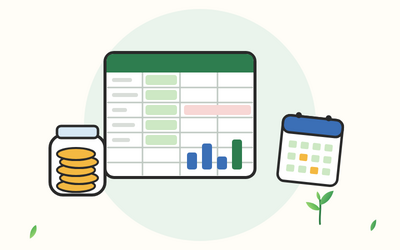
A household budget works best when it shows you three things clearly: what's coming in, what has to go out, and where the rest actually goes. A spreadsheet you build yourself can do all three, and once it's set up, keeping it going takes about an hour a month.
This course shows you how to build that spreadsheet in Excel, a step at a time, starting from a blank workbook. You'll list your income, including pay that changes and self-employed income, and every bill. You'll track everyday spending with categories and drop-down lists, set a monthly budget and compare it with what really happened. You'll bring in your bank downloads, clean them and categorise them automatically, then use PivotTables and charts to see where your money goes. You'll plan for the costs that don't come every month, such as the car, the TV Licence, Christmas and birthdays, with savings pots that keep up. You'll track council tax, energy and any debts, add alerts that catch problems early, share the workbook with your household and use it on your phone. You finish by building your own household budget workbook with your own figures.
There are 10 sections and 50 written lessons, each with a worked example, common slips, questions people often ask and a short task to try. You follow Tsion and Dawit Nuttall, a family in Wigan, as they build their workbook in 2026 after a car repair lands on the credit card. Every section has a practice pack with a worksheet, example answers and a cheat sheet, plus workbooks with live formulas, sample bank downloads and printable planners.
What you'll learn
- Getting started: what a household budget does, finding your way around Excel, planning the tabs of your workbook, formats, UK dates and your first Excel Table.
- Income and bills: turning weekly, four-weekly and irregular income into monthly figures, budgeting on self-employed income, finding every bill, and your first formulas with SUM and SUMIF.
- Tracking everyday spending: choosing categories, drop-down lists with data validation, a spending tracker and totals by category and month with SUMIFS and a simple IF.
- Your monthly budget: giving every pound a job, a buffer, budget versus actual month by month, clear over and under messages, and a monthly review routine.
- Bank downloads: downloading a CSV file safely, importing it with UK dates, cleaning a messy download, categorising with a rules table and VLOOKUP, and proving nothing is missing.
- PivotTables and charts: PivotTables by category, month and person, clear charts that show where the money goes, and a one-page summary.
- Pots and yearly costs: a costs calendar for the car, the TV Licence, Christmas and birthdays, sinking funds that keep up, a gift list, savings goals and an emergency pot.
- Household bills and debts: council tax instalments, energy meter readings and your Direct Debit, renewals with days to go, a debt tracker for balances and payments, and where to find free help.
- Making it work for the family: the 50/30/20 split as one approach among several, conditional formatting alerts, protecting and sharing the workbook, Excel on your phone and a year-end review.
- Final project: your own household budget workbook, built in four sessions from a brief, checked against a model and kept going with a monthly routine.
Who it's for
Adults in the UK who want a clear, working household budget, whether you're on your own, a couple or a family. You don't need any Excel experience: the course explains each part of Excel the first time you use it. You'll need Excel 2016 or later, Excel 365 or Excel for the web, a PDF reader for the practice packs and, for Section 5, the ability to download your transactions from your banking app or your bank's website.
What this course is, and isn't
This course is about budgeting and about using Excel to keep track of household money. It isn't financial advice, and it doesn't recommend any bank, savings account, credit product, investment or debt solution. It points you to free, impartial help from MoneyHelper, Citizens Advice, free debt advice charities and the benefits calculators listed on GOV.UK. The Nuttalls, every other person and business in the course, and all their figures are fictional.