Course description

Love drawing and want to see your drawings move? This course teaches hand-drawn 2D animation from the very first flipbook to a short finished scene. You can follow it on paper, with a light source and a peg strip made from card, or in any drawing app that has layers, a timeline and onion skinning. No animation experience is needed.

You begin with how frames and frame rates work and make a flipbook. Then you set up your paper desk or your drawing app and animate the classic bouncing ball, learning timing, spacing, arcs, and squash and stretch. You work through the principles of animation, plan movement with keys, breakdowns, in-betweens, timing charts and exposure sheets, and draw a walk cycle and a simple run. Later sections cover designing a character, expressions, blinks and simple lip sync, effects such as water, smoke and fire, backgrounds and camera moves, storyboards, animatics, clean-up, colour, and exporting video and looping gifs.

There are 10 sections and 50 written lessons. Each lesson has a worked example, common slips, questions people often ask and a short exercise to try, and each section ends with a short quiz. You follow Majella, who works at a garden centre near Stroud and has drawn birds for years but never animated, as she learns from January to July 2026, mistakes included. In the final section she animates Nubbin, a small round wren, getting a surprise from a raindrop, and you plan and animate a short scene of your own. Every section has a practice pack with exercise sheets, answer keys and cheat sheets, plus printable frame templates, flipbook pages, spacing and timing chart sheets, exposure sheet templates, bouncing ball and walk cycle reference sheets, model and expression sheets, a mouth shapes chart, storyboard templates and the final project files.


What you'll learn

  • How animation works: frames and frame rates, ones, twos and holds, your first flipbook, and looking after your hands, eyes and time.
  • Tools and setting up: a paper desk with a light source and a card peg strip, drawing app layers, the timeline and onion skinning, canvas sizes, file habits and your first rough playback.
  • The bouncing ball: timing and spacing, arcs and keys, spacing charts, squash and stretch, weight, and a bouncing ball loop.
  • The principles of animation, part one: pose to pose and straight ahead, anticipation, follow-through, arcs, slow in and slow out, exaggeration and secondary action.
  • Principles, part two, and planning frames: staging, appeal, keys, breakdowns and in-betweens, timing charts and exposure sheets.
  • Walk cycles and simple runs: the four main poses of a walk, a side-view walk cycle, timing and character, a simple run, and walking across the frame.
  • Characters, faces and lip sync: designing a simple character, model sheets and turnarounds, expressions and blinks, mouth shapes and breaking down dialogue.
  • Effects, backgrounds and camera moves: water drops and splashes, smoke and fire, backgrounds and layout, pans and zooms, and depth with layers.
  • Storyboards, finishing and sharing: storyboards and animatics, clean-up and line work, flat colour and shadows, exporting video and looping gifs, and sharing safely.
  • Final project: a character reacts: planning, timing, animating, cleaning up, colouring and exporting a short scene of your own, with a full worked example.


Who it's for

UK adults who draw for fun or for work and want to animate characters, looping gifs and short films. Some drawing experience helps, but the exercises use simple shapes, and no animation experience is needed.


What this course is, and isn't

This is a practical beginner course in drawn, frame-by-frame animation. It doesn't name or recommend any drawing app, device or shop: it describes each feature by what it does, so you can use whatever you already have, or paper. It doesn't cover 3D animation or puppet-style rigs. Tips on breaks, posture, flashing images and copyright are general information only. Majella, Nubbin and every other person and character in the course are fictional, and every drawing in it was made for the course.

What will I learn?

  • Explain how frames, frame rates, ones, twos and holds turn drawings into movement
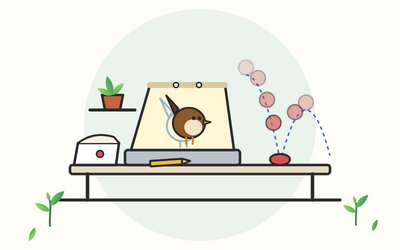
  • Set up a paper desk with a light source and a card peg strip, or a drawing app with layers, a timeline and onion skinning
  • Animate a bouncing ball with clear timing, spacing, arcs, and squash and stretch that keeps its volume
  • Use the principles of animation, such as anticipation, follow-through, slow in and slow out, staging and appeal
  • Plan movement with keys, breakdowns, in-betweens, timing charts and exposure sheets
  • Draw a side-view walk cycle and a simple run, and give a walk some character
  • Design a simple character with a model sheet, expressions, blinks and mouth shapes for lip sync
  • Animate simple water, smoke and fire, and use backgrounds, pans and layers for depth
  • Plan a short film with a storyboard and an animatic, then clean up, colour and export it
  • Animate a short scene of a character reacting, from storyboard to finished video, and share it safely

Requirements

  • Some drawing experience helps, but you don't need to be good at drawing, and no animation experience is needed
  • Plain paper, pencils, a hole punch and some thin card, or a tablet or computer with a drawing app that has layers, a timeline and onion skinning
  • A way to capture paper drawings, such as a phone camera, if you work on paper and want to play your drawings back
  • Time to draw: each lesson ends with a short exercise, and the final project takes a few weeks of short sessions

Frequently asked questions

UK adults who draw for fun or for work and want to make their drawings move: characters, looping gifs and short films. No animation experience is needed.

None in particular. You can do the whole course on paper, with a light source and a card peg strip, or in any drawing app that has layers, a timeline and onion skinning. The course doesn't name or recommend any app, device or shop, and describes each feature by what it does.

No. The exercises use simple shapes, such as a ball, a stick figure and a small round bird. Clear, simple drawings animate well, and your drawing improves as you go.

There are about 10 hours of lessons, and each one ends with a short exercise to try. Animation takes time to draw, so allow extra time for the exercises and a few weeks of short sessions for the final project.

Yes. Every section has a practice pack with an exercise sheet, an answer key, a cheat sheet and worked examples, plus printable frame templates, flipbook pages, spacing and timing chart sheets, exposure sheet templates, bouncing ball and walk cycle reference sheets, model and expression sheets, a mouth shapes chart, storyboard templates and the final project files.

Only general tips on breaks, posture and screen time, and on avoiding flashing images when you share work. If you have pain or eye problems, the course suggests speaking to a pharmacist, your GP or an optician.

Yes. Drawing for Beginners: Line, Shape, Shading and Perspective from Scratch; Procreate for Beginners: Digital Drawing and Illustration on the iPad; Blender for Beginners: Model, Light and Render in Free 3D Software; Video Editing for Beginners: Cut, Sound, Captions and Sharing Your Videos; and CapCut for Beginners: Edit Reels, TikToks and Shorts on Your Phone.

You get lifetime access, including any lessons we add later.

Yes. You can ask for a refund within 14 days of buying if you've completed less than 30% of the course. Email support@rootlet.co.uk.
2D Animation for Beginners: Bring Drawings to Life Frame by Frame

£34.99

Lectures

60

Quizzes

10

Skill level

Beginner

Expiry period

Lifetime

Certificate

Yes

✓ 14-day money-back guarantee if you have completed less than 30% of the course. Refund policy

✓ Secure card payment by Stripe

✓ Questions before you buy? support@rootlet.co.uk

Sold by Rootlet Academy Ltd, a UK company (no. 17529179).

Share this course

Related courses

Learn something new every week

One short, practical tip each Thursday, plus news when new courses open. Free, and you can unsubscribe in one click.

We'll never share your email. See our privacy policy.