Course description

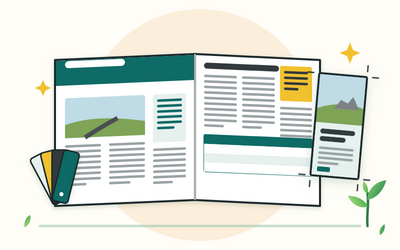
Adobe InDesign is the page layout app for leaflets, newsletters, brochures and other documents for print and PDF. This course teaches you to use it properly: setting up documents at the right size with margins, columns and bleed, placing and threading text and pictures, typography that's easy to read, styles and parent pages that keep everything consistent, colour for print and screen, tables and grids, accessible PDFs, preflight and packaging, and print-ready files your printer will be happy with.

It's a full, hands-on course, not a quick tour. There are 10 sections and 50 written lessons, each with a worked example, common questions and a short task to do in InDesign. You follow Eithne, the office and communications coordinator at a small community transport charity in Devon, as she moves from a word processor to InDesign and makes a DL leaflet, a 4-page newsletter and an 8-page brochure, including the mistakes she made and how she put them right. Every section has a practice pack with a worksheet, key points and the files the lessons use: words to place, pictures and logos drawn for the course, settings sheets, style planners, checklists, flatplans and finished example PDFs. There are no ready-made InDesign files: you build every document yourself.

InDesign changes between versions, so the course describes what each tool does and where it usually lives, and says plainly what was true at the time of writing. You'll need InDesign, through one of Adobe's plans or a free trial at the time of writing; check the current options on adobe.com/uk.


What you'll learn

  • Getting started: what InDesign is for and how it differs from a word processor, Adobe's plans in general terms, the workspace, and settings and a folder routine before your first document.
  • Documents, pages and print sizes: A and DL paper sizes, the New Document window, margins, columns and gutters, bleed, slug and the safe area, and facing pages and spreads.
  • Frames, text and images: frames and shapes, placing and threading text, overset text, placing and cropping pictures, the Links panel and image resolution, and layers.
  • Typography: typefaces and readable sizes, paragraph settings, leading, kerning and tracking, hyphenation and justification, quote marks and special characters, and UK spelling.
  • Styles, parent pages and templates: paragraph, character and object styles, overrides, parent pages with automatic page numbers, and a template and one-page style guide for colleagues.
  • Colour and images for print and screen: CMYK and RGB, swatches and tints, spot colours in general terms, contrast for accessibility, and picture file types, copyright and permission.
  • Grids, alignment, tables and text wrap: guides and the baseline grid, aligning and spacing objects, tables from tab-separated text, table and cell styles, and text wrap that reads well.
  • Newsletters, brochures and longer documents: content lists and flatplans, building a 4-page newsletter and an 8-page brochure, a table of contents from styles, book files in brief, and PDFs for reading on screen.
  • Accessible PDFs, checks, packaging and print: tags, reading order and alt text, checking in Acrobat, preflight, packaging and font licences, print PDF presets, bleed and crop marks, and working with printers.
  • Final projects: a DL leaflet, a 4-page newsletter and an 8-page brochure for a community garden, a case review of a first draft, and a routine for keeping documents consistent.


Who it's for

Beginner designers, and staff and volunteers in charities, offices, schools and community groups who make printed documents and PDFs and want them to look professional and be easy to read. You don't need any design experience, just a computer and some confidence using it. The course keeps design theory, picture editing and accessibility law short and points to Rootlet's other courses for more. It gives general information, not legal advice. Rootlet isn't connected to Adobe. The people and organisations in the course are fictional.

What will I learn?

  • Install InDesign, find your way round the workspace, and set up units, UK English and a folder routine that keeps links working
  • Set up print documents at A and DL sizes with the right margins, columns, bleed, slug and facing pages
  • Place, thread and fit text, place and crop pictures, check image resolution in the Links panel, and organise pages with layers
  • Set readable type with good leading, kerning, hyphenation and spacing, proper quote marks and UK spelling
  • Build paragraph, character and object styles, parent pages with automatic page numbers, and templates colleagues can use
  • Use CMYK swatches and tints for print, avoid unwanted spot colours, check contrast and keep a record of picture permissions
  • Line pages up with grids and the Align panel, make styled tables from tab-separated text, and use text wrap without awkward gaps
  • Plan and build a 4-page newsletter and an 8-page brochure with a flatplan and a table of contents generated from styles
  • Make tagged, accessible PDFs with alt text, preflight and package your files, and export print-ready PDFs your printer can use
  • Design a leaflet, a newsletter and a brochure of your own from a brief, and review a first draft with a critical eye

Requirements

  • A desktop or laptop computer that meets Adobe's system requirements for InDesign, and an internet connection
  • Adobe InDesign, through an Adobe plan or a free trial at the time of writing; check the current options on adobe.com/uk
  • A mouse or trackpad, and a printer if you can, for proofs, checklists and worksheets
  • No design experience, just some confidence using a computer
  • A PDF reader and a plain text editor for the practice files; Acrobat Pro is useful for the accessibility check in Section 9 but not essential

Frequently asked questions

Beginner designers, and staff and volunteers in charities, offices, schools and community groups who make leaflets, newsletters, brochures and PDFs. You don't need any design experience.

You need InDesign to follow the lessons. At the time of writing (October 2026), Adobe sells it as a single app plan and as part of Creative Cloud Pro, with plans for students, teachers and businesses, and offers a free trial. Plans and prices change, so check adobe.com/uk before you choose.

InDesign runs on desktop and laptop computers. Check Adobe's current system requirements before you start a trial or buy a plan. The course is written for a computer, not a phone or tablet.

Only as far as your pages need: readable type, spacing, colour and contrast. Graphic Design for Beginners covers layout, type and colour in more depth, and Logo Design and Branding for Beginners covers brand identity.

No. You place pictures and logos that are ready to use. Adobe Photoshop for Beginners covers editing pictures, and Adobe Illustrator for Beginners covers drawing logos and illustrations.

Yes, for documents: readable sizes, contrast, styles that become PDF tags, reading order, alt text, document titles and a check in Acrobat. Web Accessibility for Beginners covers the law and websites.

Yes. Every section has a pack with a worksheet, key points and the files the lessons use: words to place, pictures and logos drawn for the course, settings sheets, style planners, checklists, flatplans and example PDFs. There are no ready-made InDesign files: you build every document yourself.

A two-sided DL leaflet, a 4-page A4 newsletter, an 8-page A5 brochure with a contents list, a template and style guide, an accessible PDF, print-ready PDFs, and the same three documents again for a final project of your own.

You get lifetime access, including any lessons we add later.

Yes. You can ask for a refund within 14 days of buying if you've completed less than 30% of the course. Email support@rootlet.co.uk.
Adobe InDesign for Beginners: Leaflets, Newsletters and Brochures

£34.99

Lectures

60

Skill level

Beginner

Expiry period

Lifetime

Certificate

Yes

✓ 14-day money-back guarantee if you have completed less than 30% of the course. Refund policy

✓ Secure card payment by Stripe

✓ Questions before you buy? support@rootlet.co.uk

Sold by Rootlet Academy Ltd, a UK company (no. 17529179).

Share this course

Related courses

Learn something new every week

One short, practical tip each Thursday, plus news when new courses open. Free, and you can unsubscribe in one click.

We'll never share your email. See our privacy policy.