Course description
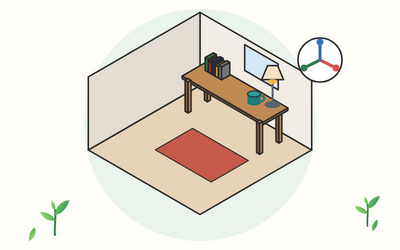
Blender is free 3D software for modelling, materials, lighting, rendering and animation. This course takes you from opening it for the first time to a finished, rendered picture of a small furnished room that you model yourself, one clear step at a time.
You learn to find your way round the screen and move round a scene, add and place objects at real sizes, and shape them in Edit Mode with extrude, inset, bevel and loop cuts. You use modifiers to smooth, mirror, repeat, thicken and cut, give every surface a material, unwrap UVs and add image textures. Then you light the scene, set up and frame a camera, render stills in EEVEE and Cycles, make a first keyframe animation, organise and save your work, and export models for other apps and 3D printing.
There are 10 sections and 50 written lessons, each with a worked example, common slips, questions people often ask and a short exercise to try, and each section ends with a short quiz. You follow Gytha, a school office manager in Kendal, as she builds a study corner over the spring, with help from Audun, who runs a 3D club at the library. Every section has a practice pack with a worksheet, an answer key and a cheat sheet, plus shortcut cards, step checklists, reference drawings with real sizes and texture images made for the course.
What you'll learn
- Getting started with Blender: what Blender is, downloading and installing it safely, the screen, areas and workspaces, mouse and keyboard set-up for laptops, and saving your first file.
- Navigating the 3D Viewport: orbiting, panning and zooming, front, side, top and camera views, framing, Local View, hiding objects, shading modes and X-Ray.
- Objects and transforms: adding objects, moving, rotating and scaling them, exact sizes and snapping, origins and applying scale, and blocking out a desk.
- Edit Mode and basic modelling: vertices, edges and faces, extrude, inset, bevel and loop cuts, and modelling a mug.
- Modifiers: the modifier stack, Subdivision Surface and smooth shading, Mirror, Array, Solidify and Boolean, with a chair, a lamp, books and a window.
- Materials and shading: material slots, the Principled BSDF in plain words, glass and glowing materials, several materials on one object and the Shader Editor.
- UV unwrapping and image textures: what UVs are, marking seams and unwrapping, Smart UV Project, image textures and texturing a rug, books and a desk.
- Lighting, cameras and composition: the four light types, World lighting and simple set-ups, adding and aiming a camera, focal length, depth of field and framing.
- Rendering and a first animation: EEVEE, Cycles and Workbench, samples and colour management, rendering and saving stills, keyframes and rendering a short animation.
- Organising, exporting and the final project: the Outliner and collections, saving and packing files, exporting for other apps and 3D printing, and a final furnished room project.
Who it's for
Hobbyists, designers and anyone curious about 3D, including game and animation beginners, who want to learn Blender from the start. You don't need any 3D experience, and Blender itself is free. A mouse with a clickable wheel helps, but the course also shows the laptop and trackpad options. If you'd like to build drawing and observation skills alongside, Drawing for Beginners: Line, Shape, Shading and Perspective from Scratch is a good companion.
What this course is, and isn't
This course teaches the core of Blender for making still images and simple animations. It isn't made or endorsed by the Blender Foundation. Blender changes with each release, so the lessons name each setting as the official manual does and tell you how to find it if a label has moved. The practice packs have no .blend files: you build every scene yourself from the steps. Gytha, Audun and every other person in the course are fictional.