Course description
You've learned the basics of Python, and now you want to build something other people can use from their own phones and laptops. This course shows you how to build a real web app with Flask, a small Python web framework, from a five-line script to a booking website with a database, member accounts and an admin area, ready to put online.
You'll learn how browsers and servers talk, then build pages with routes and Jinja templates, collect input through forms, remember visitors with cookies and sessions, and store data in SQLite. You'll organise the app into a package, add logins with properly hashed passwords, check it by hand and with scripts, and protect it against the common risks in the OWASP Top 10. Finally, you'll get it ready for a production server and plan a project of your own.
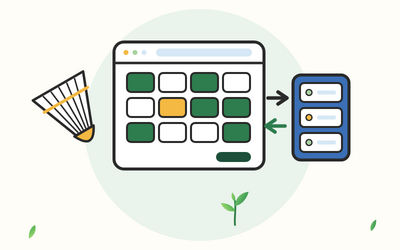
There are 10 sections and 50 written lessons, and each one ends with a practical exercise. You follow Aino, the membership secretary of a made-up badminton club in Hexham, as she builds the club's court booking site section by section. Every section has a practice pack with a worksheet, example answers, a cheat sheet and the club app's code as it is at the start and end of the section, plus checklists for setup, forms, manual checks, security and deploying, project planning sheets, the final project brief and a complete model project.
What you'll learn
- How web apps work and getting set up: browsers and servers, requests and responses, GET and POST, status codes and headers, a virtual environment, installing Flask and your first app on the development server.
- Routes, URLs and responses: routes and view functions, URL variables and converters, url_for and redirects, query strings, status codes, abort and JSON.
- Jinja templates and static files: templates, loops, conditions, filters, autoescaping, template inheritance and a simple, readable stylesheet.
- Forms and user input: GET and POST forms, request.form, checking every field on the server, flash messages and accessible forms.
- Cookies, sessions and CSRF protection: cookies, Flask's signed session and the secret key, remembering things between visits, a CSRF token for every form, and cookie settings and UK cookie rules.
- Saving data in a SQLite database: a schema, one connection per request, placeholders in every query, how SQL injection works, and a full set of pages to add, change and delete data.
- Structuring a bigger app: a package with an application factory, the instance folder, settings from files and environment variables, blueprints and friendly error pages.
- User accounts and logging in: hashing passwords with Werkzeug, registering, logging in and out, a login_required decorator, admin accounts and checking who owns what.
- Checking, debugging and securing your app: a manual checklist, automated checks with assert and a page-checking script, logging, reading tracebacks, the OWASP Top 10 and security headers.
- Deploying and your final project: production settings, a WSGI server such as Waitress or Gunicorn, hosting options in general terms, and a project of your own with a model answer.
Who it's for
People who've finished a beginners' Python course and want to build a small web app, for a club, a group, a hobby or their own learning. You should be comfortable with variables, lists, dictionaries, loops, functions and imports. You'll write a little HTML and CSS along the way, and every piece is explained, so you don't need to know them already.
What this course is, and isn't
This is a practical course built on Flask's own documentation and tutorial, Werkzeug's documentation, Python's sqlite3 documentation and the OWASP Top 10. It was written in October 2026 for Flask 3.1.3 and Python 3.12 or newer, on Windows, a Mac or Linux. It gives general information, not a full security review, and it doesn't recommend any hosting company: deploying is explained in general terms, with the questions to ask before you choose.