Course description

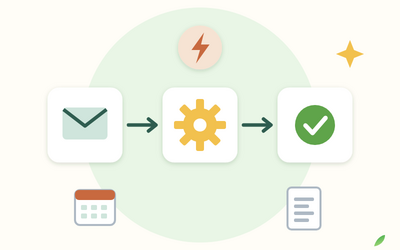
If part of your week goes on saving attachments, copying form responses into spreadsheets, chasing approvals and sending the same reminders, Power Automate can do much of it for you. This course shows you, step by step and in plain words, how to build flows in Microsoft 365 that do that everyday admin reliably and safely, with no coding.

It's a full course, not a quick tour. There are 10 sections and 50 written lessons. You follow an office manager at a small firm of surveyors as she builds six real flows one at a time: filing invoice attachments, recording site visit bookings, holiday request approvals, a weekly reminder in Teams, training expiry reminders and a new starter checklist. You see what went wrong along the way and how she fixed it. Every section has a worksheet, answers, a cheat sheet and ready-made planners, guides and workbooks.


What you'll learn

  • The basics: what Power Automate can do, which tasks are worth automating, what your licence includes, and how triggers, actions and dynamic content fit together.
  • Email and schedules: flows that start with an email, saving attachments to SharePoint or OneDrive, clear automated emails and reminders that run at the right time.
  • Forms, Excel and lists: collecting information with Forms and recording it in Excel tables and SharePoint lists.
  • Logic: conditions, switches, loops, variables and simple expressions for dates and empty values.
  • Approvals, Teams and Planner: a holiday request process with reminders and cover, messages in Teams and tasks in Planner.
  • Reliability and safety: reading run history, fixing failures, failure alerts, co-owners, personal data, permissions and checking flows that Copilot drafts.


Who it's for

Office, admin and support staff in UK organisations that use Microsoft 365, including complete beginners. It ends with a final project: you plan, build, check and hand over a flow for a real task in your own job.

What will I learn?

  • Spot the everyday tasks worth automating and estimate the time they take honestly
  • Build instant, automated and scheduled cloud flows from triggers and actions
  • Save email attachments, send clear automated emails and set up reliable reminders
  • Connect Forms, Excel tables and SharePoint lists so information is recorded automatically
  • Use conditions, loops, variables and simple expressions to handle real situations
  • Run approval processes such as holiday requests, with reminders and cover for absent approvers
  • Read run history, fix failed runs and set up failure alerts, co-owners and flow records
  • Automate safely: personal data, permissions, your organisation's policies and checking Copilot's drafts

Requirements

  • No coding or automation experience needed
  • A work or school Microsoft 365 account that includes Power Automate, or a plan to get one (lessons explain how to check)
  • A computer with a web browser
  • Any spreadsheet program for the practice workbooks (optional)

Frequently asked questions

Office, admin and support staff in UK organisations that use Microsoft 365, such as offices, schools, charities, councils and practices, who want to stop doing repetitive tasks by hand. No coding is needed.

Usually not to start. Many Microsoft 365 business and enterprise plans let you build cloud flows with standard connectors such as Outlook, SharePoint, Excel, Forms and Teams. Lesson 1.4 explains how to check what your plan includes.

You can still follow the course: every lesson has a worked example and a planning task you can do on paper, and Section 1 gives you a checklist of questions to ask your IT team.

Yes. Power Automate's screens change often, so lessons focus on how flows work and show you where to check Microsoft's own documentation for the details.

Only in outline. This course is about cloud flows with the standard connectors most Microsoft 365 users have. Lesson 9.5 explains what desktop flows and premium connectors are and when to ask for help.

Yes. You'll learn how Copilot can draft a flow from a description, and how to check every step it builds before you turn the flow on.

You get lifetime access, including any lessons we add later.

Yes. You can ask for a refund within 14 days of buying if you've completed less than 30% of the course. Email support@rootlet.co.uk.
Power Automate for Beginners: Automate Everyday Microsoft 365 Tasks

£34.99

Lectures

60

Quizzes

10

Skill level

Beginner

Expiry period

Lifetime

Certificate

Yes

✓ 14-day money-back guarantee if you have completed less than 30% of the course. Refund policy

✓ Secure card payment by Stripe

✓ Questions before you buy? support@rootlet.co.uk

Sold by Rootlet Academy Ltd, a UK company (no. 17529179).

Share this course

Related courses

Learn something new every week

One short, practical tip each Thursday, plus news when new courses open. Free, and you can unsubscribe in one click.

We'll never share your email. See our privacy policy.