Course description

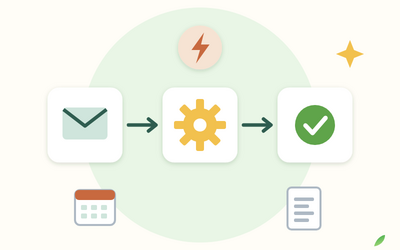
Many jobs at work come round every week: tidying a shared folder, copying figures from one file into another, typing invoice details into a list, emailing the same summary, checking a supplier's prices. Each one only takes half an hour, but together they can eat a morning. If you've learned the basics of Python, you already know enough to start handing those jobs to a script. This course shows you how, safely and step by step.

It's a full course, not a quick tour. There are 10 sections and 52 written lessons, with every piece of code shown in full alongside the real output it produces. You follow the office manager of a small hardware shop in Northumberland (a fictional business) as she automates her Monday morning admin, including the mistakes she made along the way. Every section has sample files, starter and solution scripts, the expected output and a cheat sheet. You practise sending emails and reading a supplier's website with a mail catcher and a practice website that run only on your own computer.


What you'll learn

  • Files and folders: finding, copying, moving, renaming, sorting, zipping and backing up files, with dry runs so nothing is lost.
  • Text and patterns: regular expressions to pull out dates, codes, prices and invoice numbers, and to rename files consistently.
  • Spreadsheets: combining CSV exports and creating formatted Excel workbooks with openpyxl.
  • Documents: reading PDF invoices with pypdf and creating Word documents with python-docx.
  • Email: building messages with attachments and sending them safely, with passwords kept out of your scripts.
  • The web: reading web pages with requests and Beautiful Soup, following the rules, and calling JSON APIs with keys and limits.
  • Reliability: command-line options, logging, settings files, error handling and running scripts on a schedule.


The final project

You'll build one script that runs a whole Monday morning routine: a backup, a tidy shared folder, the weekly sales workbook, an invoice list, a supplier price check and a summary email, with a dry-run option, a log and a schedule.


Who this course is for

  • Office, operations and admin staff with repetitive computer tasks.
  • Small business owners who want their weekly paperwork to run itself.
  • Anyone who has finished a beginners' Python course and wants a practical next step.


How the course works

Read each lesson with Python open beside you, run the starter script from the practice pack and check your result against the solution. Everything works on Windows, Mac or Linux with free tools. You keep lifetime access, so you can come back to any lesson when you automate your next task.

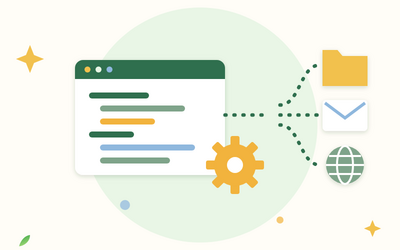
What will I learn?

  • Spot which everyday tasks are worth automating and set up a safe automation folder with a virtual environment
  • Find, copy, move, rename, sort and back up files and folders without overwriting anything
  • Use regular expressions to pull dates, codes, prices and invoice numbers out of text and rename files consistently
  • Combine CSV exports and create and format Excel workbooks with openpyxl
  • Read text from PDF invoices with pypdf and create Word documents such as purchase orders with python-docx
  • Build and send emails with attachments safely, keeping passwords out of your scripts
  • Read web pages with requests and Beautiful Soup politely, and call JSON APIs with keys, limits and error handling
  • Make scripts dependable with command-line options, logging, settings files and a schedule, and build a complete weekly automation

Requirements

  • You know basic Python: variables, lists, dictionaries, loops, functions, reading a file and installing a package with pip
  • A Windows, Mac or Linux computer where you can install Python 3.12 or newer and a few free libraries
  • No paid software: a spreadsheet program helps for opening the workbooks you create

Frequently asked questions

It's for people who've learned the basics of Python and want to use it to save time at work: office, operations and admin staff, small business owners and anyone with repetitive computer tasks. If you've never written Python, start with a beginners' course first.

No. This course uses Python's own modules plus five free libraries: requests, Beautiful Soup, openpyxl, pypdf and python-docx. Lesson 1.3 shows you how to install them.

Not while you practise. The packs include a small mail catcher that saves emails on your own computer instead of sending them, and a practice supplier website and API that run only on your own computer. The lessons then explain how to use real email accounts and websites safely and within the rules.

No, the lessons are written, with every piece of code shown in full alongside the real output it produces, so you can follow along at your own pace.

Yes. Every section has sample files from a fictional hardware shop, a starter and a solution script for each exercise, the expected output and a cheat sheet. The final project builds one script that runs a whole Monday morning routine.

Windows, Mac or Linux all work. Where steps differ, such as setting environment variables or scheduling a script, the lessons cover Windows and Mac.

You get lifetime access, including any lessons we add later.

Yes. You can ask for a refund within 14 days of buying if you've completed less than 30% of the course. Email support@rootlet.co.uk.
Python Automation: Automate Files, Spreadsheets, Emails and the Web

£34.99

Lectures

62

Quizzes

10

Skill level

Intermediate

Expiry period

Lifetime

Certificate

Yes

✓ 14-day money-back guarantee if you have completed less than 30% of the course. Refund policy

✓ Secure card payment by Stripe

✓ Questions before you buy? support@rootlet.co.uk

Sold by Rootlet Academy Ltd, a UK company (no. 17529179).

Share this course

Related courses

Learn something new every week

One short, practical tip each Thursday, plus news when new courses open. Free, and you can unsubscribe in one click.

We'll never share your email. See our privacy policy.