Course description

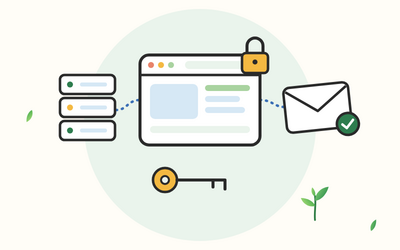
Your domain name, website and business email are three linked parts, each paid for in a different account and renewed on a different date. When they work, nobody notices. When one breaks, customers can't find you, quotes don't arrive, or a renewal you didn't know about lapses and your website and email disappear with it.

This course shows UK sole traders and small business owners how to set up and look after that side of things themselves, without hiring an agency. It goes deeper than building pages: choosing and keeping your domain name, reading and changing DNS records, choosing hosting, setting up business email properly, protecting your name with SPF, DKIM and DMARC, moving between providers without downtime and knowing what to do when something goes wrong. If you need to build the website itself, Build a Business Website Without Code covers that.

There are 10 sections and 50 written lessons, each with a worked example and a short task to try on your own set-up. You follow Ayomide, the director of a small tiling company, through 2026 as her web designer retires and she moves the company's domain, email and website into its own hands, slips included. Every section has a practice pack with a worksheet, example answers and a cheat sheet, plus an inventory sheet, a DNS records worksheet, a sample zone file, an ownership and renewals register spreadsheet, an SPF, DKIM and DMARC planning sheet, a migration checklist, an incident checklist and a final project with model answers.


What you'll learn

  • How the web fits together: domain names, DNS, hosting and email in plain words, who's who from registries to registrars, and an inventory of what you already have.
  • Choosing a domain name: names that are easy to say and spell, .co.uk, .uk and .com, trade mark and confusion checks in general terms, choosing a registrar and registering.
  • Keeping ownership: registrant details in your own name, WHOIS and privacy, securing your registrar account, renewals and expiry, and transfer codes.
  • DNS records explained: A, AAAA, CNAME, MX, TXT and NS records, TTL and reading a whole zone file, with worked examples on made-up domains.
  • Website hosting: shared hosting, managed WordPress hosting, website builders and a short word on VPS, choosing a host, HTTPS, backups and uptime monitoring.
  • Business email: hosted email or forwarding, mailboxes, aliases and shared mailboxes, phones and computers, deliverability, spoofing and phishing.
  • SPF, DKIM and DMARC: what each record does, sample records, reading DMARC reports and a staged plan from monitoring to reject, including spare domains.
  • Moving without downtime: the order to move a domain, DNS, email and website, lowering the TTL, switching at a quiet time and tidying up afterwards.
  • Security, admin, costs and the law: password managers, two-step verification and least access, staff leaving, yearly costs and upsells, business details, privacy notices and cookies in general terms.
  • When things go wrong, and your final project: a website that's down, bounced email, expired domains and hacks, and a full plan, records sheet and checklist for a fictional cycle hire business.


Who it's for

Sole traders and small business owners in the UK who want to understand and control their own domain, hosting and business email, whether they're starting from scratch, inheriting a set-up from a web designer or tidying up years of accounts. You don't need to be technical. You'll need a web browser, a PDF reader, a text editor and a spreadsheet app.


What this course is, and isn't

This course gives general information. It isn't legal or technical advice for your business. It doesn't name or recommend any registrar, hosting company, email provider or other product, and every domain name, address and key in the examples is made up. Services, prices and rules change, so check the official pages named in each lesson. The people and businesses in the course are fictional.

What will I learn?

  • Explain how domain names, DNS, hosting and email fit together, and list what your business already has
  • Choose a domain name and ending, check for clashes in general terms and register it carefully
  • Keep your domain name in your own name and account, secured with two-step verification, a lock and renewals you won’t miss
  • Read and change A, AAAA, CNAME, MX, TXT and NS records, and plan changes with TTL
  • Choose a type of hosting and a host by who does the work, with HTTPS, backups, a trial restore and uptime monitoring
  • Set up business email with mailboxes, aliases and shared mailboxes on every device, and protect your team from phishing
  • Write SPF, DKIM and DMARC records and move DMARC from monitoring to reject in stages, including for spare domains
  • Move a website, email or DNS to a new provider without downtime, then tidy up and close old accounts
  • Give each person only the access they need, offboard leavers the same day and question upsells at renewal
  • Show the business details the law requires on your website and emails, in general terms, with a privacy notice and cookie basics
  • Handle a website that’s down, bounced email, an expired domain or a hack with a calm checklist

Requirements

  • No technical knowledge needed: every term is explained the first time it appears
  • A computer or tablet with a web browser, a PDF reader, a text editor and a spreadsheet app
  • If you already have a domain, website or email, you’ll use your own accounts in some tasks, but nothing needs buying
  • Build a Business Website Without Code or WordPress for Beginners are helpful if you also want to build the website itself, but they aren’t required

Frequently asked questions

UK sole traders and small business owners who want to understand and control their own domain name, hosting and business email, whether they're starting out, inheriting a set-up from a web designer or tidying up years of accounts.

No. The course explains every term in plain English and shows each record type with worked examples. If you can fill in an online form and follow a numbered list, you can do this.

No. It covers the domain, DNS, hosting and email around a website. Build a Business Website Without Code, WordPress for Beginners and HTML and CSS for Beginners cover building the website itself.

No. The course doesn't name or recommend any provider. It shows you what to compare and what to ask, so you can choose for yourself and move later if you need to.

No. The lessons on trade marks, business details, privacy notices and cookies give general information and point you to GOV.UK, the ICO and other official pages. Get professional advice for your own situation.

No. Every domain name, IP address and key in the examples is made up, using names and addresses reserved for examples and documentation, so you can practise without affecting anyone's real website.

Yes. Every section has a practice pack with a worksheet, example answers and a cheat sheet, plus an inventory sheet, a DNS records worksheet, a sample zone file, an ownership and renewals register spreadsheet, an SPF, DKIM and DMARC planning sheet, a migration checklist, an incident checklist and a final project with model answers.

Each lesson is about 10 to 15 minutes of reading, plus a few minutes for the task at the end. Tasks that use your own accounts, such as your inventory and DNS records, can take longer the first time.

You get lifetime access, including any lessons we add later.

Yes. You can ask for a refund within 14 days of buying if you've completed less than 30% of the course. Email support@rootlet.co.uk.
Domains, Hosting and Business Email: A Guide for Small Businesses

£34.99

Lectures

60

Skill level

Beginner

Expiry period

Lifetime

Certificate

Yes

✓ 14-day money-back guarantee if you have completed less than 30% of the course. Refund policy

✓ Secure card payment by Stripe

✓ Questions before you buy? support@rootlet.co.uk

Sold by Rootlet Academy Ltd, a UK company (no. 17529179).

Share this course

Related courses

Learn something new every week

One short, practical tip each Thursday, plus news when new courses open. Free, and you can unsubscribe in one click.

We'll never share your email. See our privacy policy.