Course description

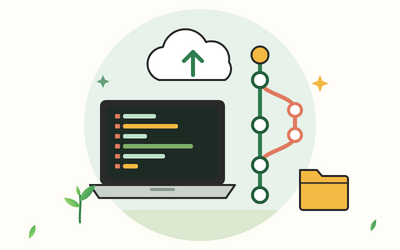
If you've ever had a folder full of index-old.html, index-final.html and index-final-2.html, or lost an afternoon's work to one wrong click, version control is for you. Git keeps every version of your project, with a note of what changed and why, and GitHub keeps a copy online so you can back it up, share it, publish it and work on it with other people.

This course teaches both from the very beginning, in plain English, with every command shown alongside the real reply Git gave when it was run. You learn the ideas first, then the commands, then the habits that keep your work safe for years.

There are 10 sections and 50 written lessons, and each one ends with a short practical exercise. You follow Ysanne, a research assistant in Preston, as she puts her walking group's small website under version control, learns to undo mistakes calmly, keeps her work survey scripts free of secrets and personal data, publishes the site with GitHub Pages and reviews her first pull request from a fellow walker. Every section has a practice pack with the exercises, example answers and a cheat sheet, plus practice repositories with real histories, three ready-made merge conflicts, a .gitignore library, a README template, checklists and scripts for practising without a second GitHub account.


What you'll learn

  • Getting started with version control: what Git and GitHub are, how Git thinks in snapshots, installing Git on Windows, macOS or Linux, the command line basics Git needs, and your first set-up.
  • Your first repository: git init, the working folder and the staging area, making commits, writing good commit messages and a daily rhythm.
  • Looking back through your history: reading the log, seeing what changed with diff, looking at and restoring old versions, finding when and why a line changed, and tags.
  • Undoing things safely: which undo fits which mistake, git restore, amending the newest commit, git reset in its safe forms, git revert and the reflog.
  • Ignoring files and keeping secrets out: .gitignore patterns and a ready-made library, keeping passwords and keys out, what to do if one gets in, and personal data under UK GDPR at a general level.
  • Branches and merging: what branches are, merging, reading the graph, merge conflicts with three practice repositories, and tidy branch habits.
  • GitHub and remote repositories: a secure GitHub account, creating a repository, HTTPS or SSH sign-in, pushing, cloning, fetching and pulling.
  • Sharing your work well: README files, Markdown, licences at a general level, publishing a website with GitHub Pages, and checking before you make anything public.
  • Collaborating on GitHub: issues, forks and pull requests, reviewing kindly, rejected pushes and divergent branches, and GitHub Desktop and editor tools.
  • Good habits and final project: a workflow you can keep, habits for the long run, and a final project: one of your own projects under version control and published.


Who it's for

Beginners who write code or keep project files: learners on web development, JavaScript and Python courses, and researchers and analysts who keep scripts and data. You don't need any Git or programming experience, just a computer where you can install software.


What this course is, and isn't

This is a beginner's course in everyday Git and GitHub. It doesn't cover advanced topics such as rebasing workflows or automated builds, though the last lesson says where to go next. GitHub changes its pages and menus from time to time, so the lessons describe what each feature does rather than exact menu paths. The information on licences and UK GDPR is general information, not legal advice.

What will I learn?

  • Install Git on Windows, macOS or Linux, set it up, and use the command line confidently for everyday Git work
  • Stage and commit changes with clear commit messages, and read your history with log, diff, show, blame and tags
  • Undo mistakes safely with restore, amend, reset in its safe forms and revert, and recover lost work with the reflog
  • Keep clutter, passwords, keys and personal data out of repositories with .gitignore files, example settings and good habits
  • Create, merge and delete branches, and resolve merge conflicts calmly
  • Set up a GitHub account with two-factor authentication, connect securely with HTTPS or SSH, and push, clone, fetch and pull
  • Write a helpful README in Markdown, choose a licence at a general level and publish a website with GitHub Pages
  • Use issues, forks, pull requests and reviews to work with other people, and recover from rejected pushes
  • Put one of your own projects under version control and publish it, with a workflow and habits you can keep

Requirements

  • A Windows, macOS or Linux computer where you can install software
  • No Git or programming experience is needed, though a small project of your own, such as a web page or a script, helps
  • A free GitHub account, which the course shows you how to create in Section 7
  • A text or code editor you already use, and a web browser

Frequently asked questions

Anyone who writes code or keeps project files and wants to stop losing work: learners on our web development, JavaScript and Python courses, and researchers and analysts who keep scripts and data. You don't need any Git or programming experience.

Git itself, which is free; Section 1 shows you how on Windows, macOS and Linux. Everything else uses a terminal, the editor you already have and a free GitHub account.

Mostly, because that's where Git's ideas are clearest and where every command works the same everywhere. Lesson 9.5 describes GitHub Desktop and the Git tools built into code editors, so you can use buttons once you understand what they do.

The commands are stable and every one in the course was run in a real Git, with its real output shown. GitHub changes its pages and menus from time to time, so the course describes what each feature does rather than exact menu paths.

Yes. Section 5 covers keeping secrets and personal data out of repositories, what to do if a secret is committed, and UK GDPR at a general level. Lessons 5.5 and 8.5 explain why work code and data usually belong to your employer. This is general information, not legal advice.

Yes. Every section has a practice pack with the Try it exercises, example answers and a cheat sheet, plus practice repositories with real histories, conflict exercises, a .gitignore library, a README template, checklists and scripts for practising without a second GitHub account.

A repository for a small website with a full history, branches and merges, a published GitHub Pages site, and, in the final project, one of your own projects under version control and published with a README.

You get lifetime access, including any lessons we add later.

Yes. You can ask for a refund within 14 days of buying if you've completed less than 30% of the course. Email support@rootlet.co.uk.
Git and GitHub for Beginners: Track, Share and Back Up Your Code

£34.99

Lectures

60

Skill level

Beginner

Expiry period

Lifetime

Certificate

Yes

✓ 14-day money-back guarantee if you have completed less than 30% of the course. Refund policy

✓ Secure card payment by Stripe

✓ Questions before you buy? support@rootlet.co.uk

Sold by Rootlet Academy Ltd, a UK company (no. 17529179).

Share this course

Related courses

Learn something new every week

One short, practical tip each Thursday, plus news when new courses open. Free, and you can unsubscribe in one click.

We'll never share your email. See our privacy policy.