Course description
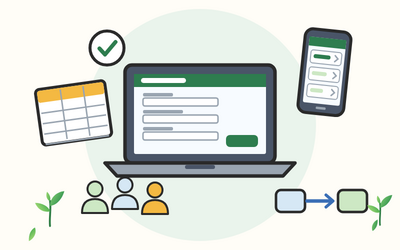
Your organisation uses Microsoft 365, and you have a job that a spreadsheet or an email chain does badly: requests that go missing, bookings that clash, records nobody can find. This course shows office and admin staff how to build simple work apps with Microsoft Power Apps, without writing code, using data you already have in an Excel table or a SharePoint list.
You begin by deciding whether a job needs an app at all, and by checking your organisation's rules and licences with IT. You then plan your data, generate a first app, and learn Power Apps Studio, screens, controls, galleries, forms and Power Fx formulas you can read aloud. You learn why delegation matters as lists grow, how to design for phones and laptops, how to make apps accessible, how to find and fix problems, and how to save, publish and go back to an earlier version. Finally you share apps safely, add them to Teams, connect a Power Automate flow in general terms and build with data protection and good governance in mind. The studio's layout changes often, so every lesson describes each feature by what it does as well as where to find it.
There are 10 sections and 50 written lessons, each with a worked example, common slips, questions people often ask and a short exercise to try, and each section ends with a short quiz. You follow Richenda, the office administrator at a made-up facilities firm in Carlisle, as she builds a parts request app for engineers and stores, and in the final project you build an equipment booking app for a made-up arts centre. Every section has a practice pack with a worksheet, example answers, a cheat sheet and worked examples, plus planning sheets, a Power Fx cheat sheet, a delegation warning card, accessibility and sharing checklists, a troubleshooting card, made-up sample data in Excel and CSV files, a sign-off checklist, a worked model answer and a glossary.
What you'll learn
- Getting started with Power Apps: what Power Apps is, canvas and model-driven apps in plain words, when an app is the right tool and when a form, a list or a spreadsheet is enough, licences in general terms and environments.
- Getting your data ready: planning the data your app needs, Excel tables in OneDrive, SharePoint lists with the right column types, Dataverse and Dataverse for Teams in general terms, and choosing a data source.
- Your first app from your own data: generating an app from an Excel table and from a SharePoint list, a tour of Power Apps Studio, reading the screens Power Apps made, and a first tidy-up.
- Screens, controls and properties: adding screens and moving between them, the controls you'll use in office apps, properties and the formula bar, containers, screen sketches and naming.
- Galleries, forms and data cards: galleries that list records, edit and display forms, data cards, saving with SubmitForm and simple validation.
- Power Fx basics: formulas you can read aloud, Filter, Search and LookUp, saving with Patch, variables, collections, If and Switch.
- Delegation and designing for every screen: what delegation means, warnings on SharePoint lists, formulas that keep working as lists grow, and layouts for phones and laptops.
- Accessibility, fixing problems and publishing: accessible labels and headings, contrast and keyboard use, the App checker, Monitor in general terms, versions and publishing.
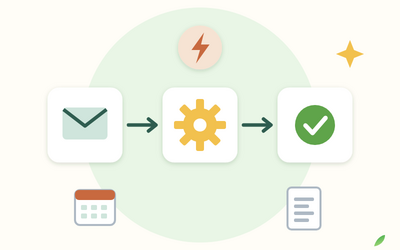
- Sharing, Teams, flows and good governance: sharing an app and its data, adding an app to Teams, a Power Automate flow in general terms, data protection, governance and Copilot checked carefully.
- Final project and keeping apps going: planning, building and signing off an equipment booking app for a made-up arts centre, then a routine for keeping apps going.
Who it's for
Office and admin staff in UK organisations that use Microsoft 365, who'd like to build simple apps for their team. You need a work Microsoft 365 account and to be comfortable with Excel and SharePoint lists. No coding experience is needed.
What this course is, and isn't
This is a beginner's course on canvas apps built from Excel and SharePoint data. Model-driven apps and Dataverse are explained briefly, so you know what they are and when to talk to IT. Menu, button, control and function names come from Microsoft's own Learn pages, read on 3 November 2026, and may look different on your screen. Licences are explained in general terms, without prices; always check with your IT team, and never work round your organisation's policies. Data protection is explained as general information, not legal advice. Brassey Facilities Ltd, Alnoth Arts Studios, Richenda and every other person, app and file in the course are fictional.