Course description
Notion can hold your tasks, projects, notes, clients, reading, budget and study plans in one place, but a blank workspace can feel like a lot. Where do you start, what's a database, and how do you avoid building something so complicated you stop using it? This course takes you from your first page to a complete, tidy system you'll actually keep up, one practical step at a time.
It's a full course, not a quick tour. There are 10 sections and 50 written lessons, and every lesson ends with a short task to do in your own workspace. You follow Naomi, a freelance copywriter in Cheltenham, as she builds her system through 2026: her databases and views, the formulas she uses, a shared workspace with two other freelancers, and the mistakes she made and fixed along the way. Every section has a practice pack with a worksheet, model answers, a cheat sheet and ready-to-import practice files, plus diagrams, checklists, formula cards and template specs.
What you'll learn
- Getting started with Notion: what workspaces, pages, blocks and databases are, Notion's plans and the limits to check, a tour of the sidebar, and planning a small system on paper before you build.
- Pages, blocks and formatting: creating pages, the everyday blocks, the slash menu and typing shortcuts, images, files and links, columns, synced blocks and keeping your page tree shallow.
- Databases from scratch: what a database is, choosing property types, adding entries, importing a CSV without the date order trap, filters, sorts, groups and calculations.
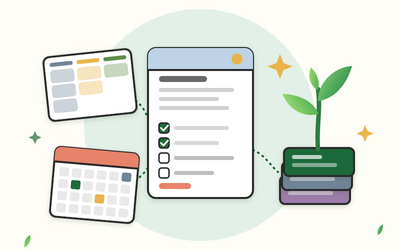
- Database views: table, list, board, calendar, timeline and gallery views, and linked views that show the same information on another page.
- Relations, rollups and formulas: linking databases, totals and counts across them, and Notion's formulas for labels, deadlines, overdue flags and project progress.
- Templates and buttons: choosing templates without overbuilding, database templates, repeating templates for weekly reviews, buttons, and looking after your templates.
- Building your work systems: a task manager, a project tracker, notes and a small knowledge base, a simple client list with follow-ups, and a work dashboard.
- Personal and study systems: a personal dashboard, a habit tracker, a reading list, a simple household budget and a study planner that works back from deadlines.
- Sharing, teams and keeping data safe: permissions and publishing, teamspaces, members and guests, comments and mentions, exports and backups, privacy, UK GDPR in general terms and account security.
- Notion AI, keeping it simple and final project: Notion AI in outline and how to check what it gives you, simplifying an overbuilt system, a final project for your own life or work or a practice scenario, and a monthly routine.
Who it's for
Freelancers, students, small teams and anyone who wants one organised place for their work, projects and life. You don't need any experience of Notion or of databases, and you can follow the whole course on Notion's free plan. If you'd rather practise on someone else's needs first, the final project includes a complete scenario with practice files and model answers. Notion updates its features and menus from time to time, so the course explains what each feature does as well as where it lives, and shows you how to check the current details in Notion's help centre. Rootlet is independent and isn't connected to Notion.