Course description

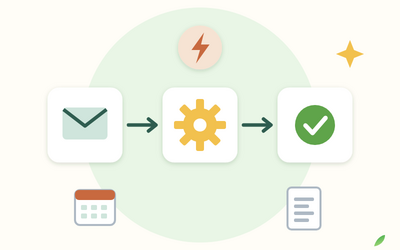
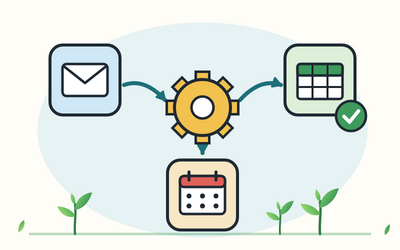
Copying form answers into a spreadsheet, typing payments into a sheet, sending the same reminder emails and saving the same attachments every week: small admin jobs like these add up. Zapier connects the web apps you already use, such as Gmail, Google Sheets, Google Calendar and Slack, so that work passes from one app to the next by itself. This course shows you how to choose the right jobs, plan them on paper, build them carefully and keep them working, with no code.

There are 10 sections and 50 written lessons, and each one ends with a short practical exercise. You follow Abosede, who runs a small tutoring business in Stafford, through a year of automating her admin: her first form to spreadsheet Zap, acknowledgement emails, a payments sheet, session reminders that went wrong when the clocks changed, a follow-up after first sessions, a kill switch her assistant can use, and the review that shows what it all saved. Every section has a practice pack with a worksheet, example answers, a cheat sheet and practical tools, including a Zap design template, sample spreadsheets, a paths planner, a customer journey map, a data protection checklist, a troubleshooting log, a weekly check and a Zap record template.


What you'll learn

  • Getting started with automation: what automation is, when it's worth the set-up and upkeep, a one-week task diary to find the right jobs, Zapier's plans and tasks in general terms, and a tour of Zapier.
  • Core ideas and your first Zap: triggers, actions and app connections, planning every automation on paper first, and building, mapping and trying a form to spreadsheet Zap.
  • Web form to spreadsheet and email: multi-step Zaps, automated emails that sound like you, spreadsheets that Zaps can rely on, careful team notifications, and how to avoid loops and duplicates.
  • Filters, paths and Formatter: carrying on only when the data is right, different branches for different cases, tidying text, UK times, dates and money, and find or create to keep one record per customer.
  • Money admin: card payments into a bookkeeping sheet, what to leave to your accounting app and bookkeeper, payment reminders and the late payment rules, weekly summary emails and monthly checks.
  • Leads, bookings and reminders: a CRM-style sheet, calendar reminders with the right time zone, delays and follow-ups, webhooks in plain terms, and mapping the customer journey.
  • Content, files and AI steps: social post hand-offs where a person always posts, saving and naming files, AI steps used with care, and Zapier Tables and Forms in brief.
  • Data protection and security: UK GDPR basics for automations, data minimisation, Zapier as a processor and where data goes, two-step verification and least access, rights requests, breaches and complaints.
  • Checking, monitoring and fixing Zaps: trial runs with made-up data, reading Zap history, fixing errors and replaying runs, a weekly check, task use and costs, and changing Zaps safely.
  • Documentation, handover and final project: one-page Zap records, handing over and planning for absence, and a final project: plan, build, check, document and cost three automations for your own business.


Who it's for

UK sole traders and small businesses who run their admin in Google Workspace and other common web apps and want to automate repeated jobs without writing code. You don't need any previous experience of automation. If your business runs on Microsoft 365, Rootlet's Microsoft Power Automate for Beginners course covers the tool built into it.


What this course is, and isn't

This course teaches you to use Zapier carefully for small business admin. Zapier changes its plans, prices and screens from time to time, so the course describes features by what they do and asks you to check Zapier's own pricing and help pages for current details. It gives general information about data protection and money records, not legal, tax or financial advice. It isn't affiliated with or endorsed by Zapier or any app it mentions.

What will I learn?

  • Decide which admin jobs are worth automating, using a one-week task diary and a simple time-saved sum
  • Explain Zaps, triggers, actions, app connections and tasks, and check Zapier's current plans for yourself
  • Plan every automation on paper with a Zap design template before you build it
  • Build multi-step Zaps that move form answers into a spreadsheet, send an acknowledgement and tell your team
  • Use filters, paths, Formatter and search steps with find or create to handle junk entries, different cases, UK dates and duplicate records
  • Automate payment records, weekly money summaries, calendar reminders and follow-ups, and know where a person should step in
  • Save and name files automatically, hand social posts to a person for approval, and use AI steps only with care
  • Apply UK GDPR basics to your Zaps: lawful basis, data minimisation, processors, transfers, rights, breaches and complaints
  • Secure your Zapier account with two-step verification, least access and a kill switch someone else can use
  • Run trial runs, read Zap history, fix errors, replay runs, monitor task use and document and hand over your automations

Requirements

  • No coding or automation experience needed
  • A computer with a web browser, and the web apps your business already uses, such as Gmail, Google Sheets and Google Calendar
  • A Zapier account: the Free plan is enough for the first Zaps, and later sections use paid features, which new accounts have been able to try free for a short time; check Zapier's pricing page for current plans
  • The course gives general information about data protection and money records, not legal, tax or financial advice

Frequently asked questions

It's for UK sole traders and small businesses who run their admin in Google Workspace and other common web apps and want to automate repeated jobs without writing code. You don't need any previous experience of automation.

Not to start. At the time of writing, Zapier's Free plan allows two-step Zaps, which is enough for the first Zap in Section 2. Multi-step Zaps, filters, paths, Formatter, Delay, Schedule and webhooks need a paid plan. The course explains plans and tasks in general terms and gives no prices, because they change: check Zapier's pricing page before you choose.

Zapier changes its screens and labels from time to time. The course describes each feature by what it does, so you can find it even after a change, and tells you to search Zapier's help centre if something has moved.

The worked examples use Google Forms, Google Sheets, Gmail, Google Calendar, Google Drive and Slack, plus a card payment app, an accounting app and a social media scheduling tool described by type. The same ideas work with other apps Zapier connects to.

Microsoft Power Automate for Beginners covers the automation tool built into Microsoft 365. This course covers Zapier, which connects Google Workspace and a wide range of other web apps. If your business runs on Microsoft 365, that course may suit you better.

Yes, carefully. Section 7 explains what AI steps in Zapier can do, why their output must be checked, what data they send and which jobs to keep away from AI.

Yes. Section 8 covers UK GDPR basics for automations: lawful basis, data minimisation, Zapier as a processor, where data is stored, security, people's rights, breaches and the complaints duty. It's general information, not legal advice.

No. Rootlet isn't affiliated with or endorsed by Zapier or any app the course mentions, and the course doesn't recommend one app over another.

About 11 hours in all, including the exercises. Building your own Zaps can take longer, depending on your apps.

No. Every lesson is written, with clear steps and a worked example, and every section has a practice pack with a worksheet, example answers, a cheat sheet and practical tools such as a Zap design template, sample spreadsheets, a data protection checklist and a troubleshooting log.

You get lifetime access, including any lessons we add later.

Yes. You can ask for a refund within 14 days of buying if you've completed less than 30% of the course. Email support@rootlet.co.uk.
Zapier for Beginners: Automate Small Business Admin Without Code

£34.99

Lectures

60

Skill level

Beginner

Expiry period

Lifetime

Certificate

Yes

✓ 14-day money-back guarantee if you have completed less than 30% of the course. Refund policy

✓ Secure card payment by Stripe

✓ Questions before you buy? support@rootlet.co.uk

Sold by Rootlet Academy Ltd, a UK company (no. 17529179).

Share this course

Related courses

Learn something new every week

One short, practical tip each Thursday, plus news when new courses open. Free, and you can unsubscribe in one click.

We'll never share your email. See our privacy policy.