Course description
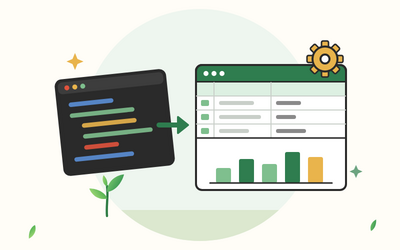
If you spend hours each month copying exports into Excel, fixing the same messy columns, doing the same lookups and rebuilding the same report, this course shows you how to hand that work to Python. You'll use pandas to read, clean and summarise your spreadsheets and openpyxl to write report workbooks with the formatting, tables and charts your colleagues expect.
There are 10 sections and 50 written lessons. Every idea is explained in Excel terms first: merge is your VLOOKUP, groupby is your SUMIFS, pivot_table is your pivot table. You follow Chantelle, a finance and reporting assistant at a fictional catering supplies wholesaler in Wolverhampton, as she automates her monthly sales report, from six messy sales exports to a formatted workbook with checks that prove the totals. Each section has a practice pack with fictional sales, expense and timesheet data, starter scripts to complete, solution scripts, the output each solution prints and a one-page cheat sheet.
What you'll learn
- Getting set up: installing Python, pandas and openpyxl from python.org on Windows or a Mac, a project folder and script template, a quick Python refresher in spreadsheet terms, and when to use pandas or openpyxl.
- Reading spreadsheets into pandas: read_excel and read_csv, UK dates, looking at a table the way you would in Excel, messy exports with title and totals rows, and reading every sheet or a whole folder of workbooks at once.
- Everyday Excel tasks in pandas: choosing columns and rows, filtering like AutoFilter, sorting and ranking, calculated columns with rounding and IF, and text and date columns.
- Lookups, totals and pivot tables: merge in place of VLOOKUP and XLOOKUP, checking a lookup for missing matches, groupby in place of SUMIFS and COUNTIFS, and pivot_table.
- Cleaning spreadsheet data: blanks, numbers stored as text, dates in every format, duplicates and untidy names, and a cleaning function that turns six months of exports into one clean file.
- Writing Excel files with pandas: to_excel, several sheets with ExcelWriter, adding a sheet to an existing workbook, one workbook per region and safe file names.
- openpyxl: working cell by cell: opening workbooks, reading form-style timesheets, writing values and formulas, inserting rows and copying sheets, and filling in a template.
- Making reports look professional: fonts, fills and borders, number formats and column widths, conditional formatting, Excel tables and drop-down lists, and bar and line charts.
- Automating the whole report: planning from your Excel steps, a tidy script with settings and functions, checks that reconcile totals, running a report without opening IDLE, and sharing a script.
- Final projects and next steps: building a full monthly sales pack from six raw exports, then an expenses and hours workbook with checks, and how to keep your scripts useful.
Who it's for
Office workers, analysts and bookkeepers who know Excel well and the basics of Python, and want to stop doing the same spreadsheet jobs by hand. You should be able to write a simple Python script with lists, loops and functions; lesson 1.4 gives a short refresher before the course moves on to pandas and openpyxl.
What this course is, and isn't
This is a practical course about automating spreadsheet work with Python scripts that run in IDLE or the terminal, on Windows or a Mac. It isn't a beginners' Python course, and it doesn't cover Excel macros, notebooks or databases. All you install is Python from python.org and the free pandas and openpyxl packages.